You’re automating one workflow—where to start
You probably have one task in mind: when a form is submitted, add a row to a sheet, create a contact in your email tool, and ping Slack. Start by writing that workflow as a short list: the trigger (what happens), the data you need, and the outcome (where it should land). If it’s mostly “move info from A to B” with a couple of simple rules, Zapier is usually the fastest first build. If you already expect branching paths, multiple steps that reshape data, or “do this unless that’s true,” Make can be a better first home.
Keep the first version intentionally small: one trigger, one or two actions, and one message you can verify. The practical constraint is that early wins come from reducing moving parts, not finding the perfect platform. Both tools can look deceptively cheap until you rerun the workflow during setup, test different filters, and replay failed runs. Plan for a little iteration cost, and choose the tool that you’ll actually feel comfortable opening again next week when something changes.
How complex is your workflow, really?
A useful way to judge complexity is to count decisions, not steps. “When X happens, do Y” is simple even if it touches three apps. It gets complex when you need to ask questions mid-flow: is this person already in the CRM, which pipeline stage should they go to, did they pick plan A or B, is the email domain internal, should you skip weekends, should you notify only if a number crosses a threshold. The moment your workflow depends on a lookup, a dedupe check, or a “do this for each item in a list,” you’re no longer just copying fields.
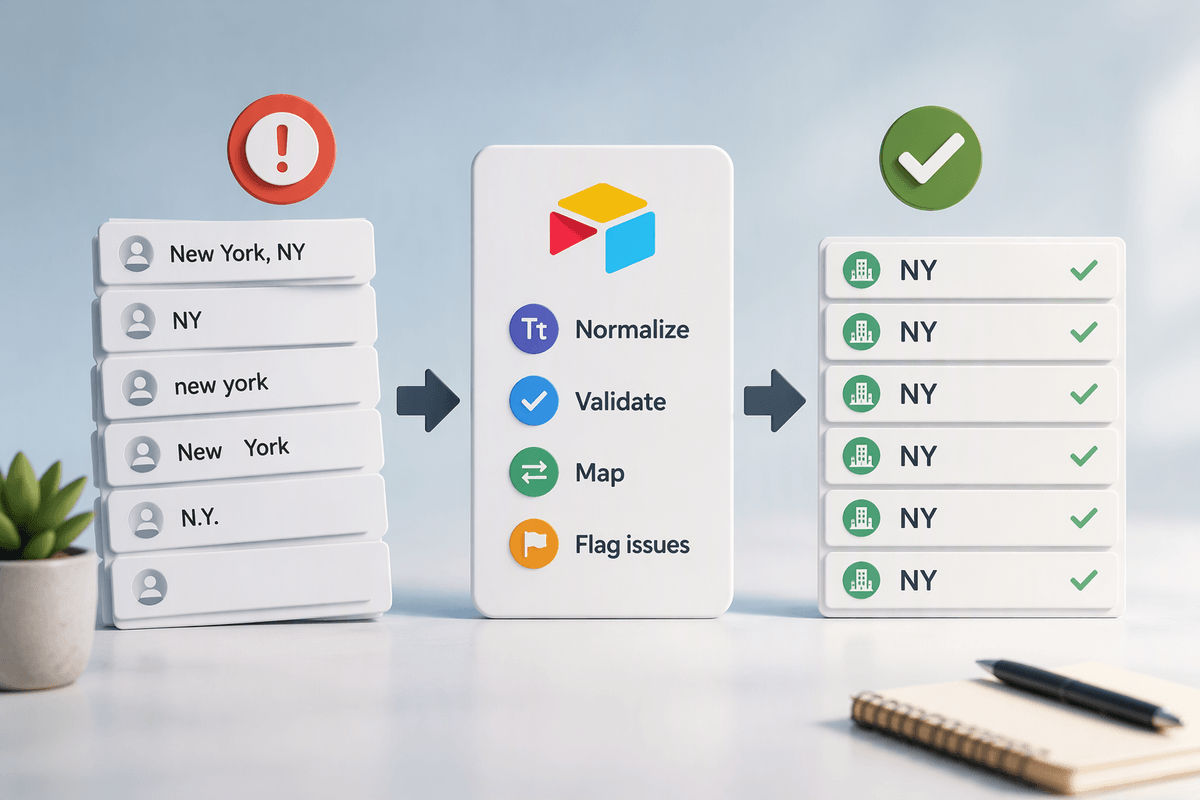
Also notice how clean your data is. If names, dates, and phone numbers arrive in different formats, you’ll spend time normalizing them, and that usually means more testing and more runs. Even “simple” automations can get pricey if you iterate heavily or if you’re processing high volume, so it helps to separate what must be automated now from what can be a manual check in version one.
Zapier’s strengths when you value speed

You know the feeling: you want the automation running today, not after a weekend of tinkering. Zapier is built for that “get it working fast” moment. The setup is linear—trigger, then actions—and most popular apps have polished templates and field pickers that make mapping straightforward. For a first workflow like “new form submission → create contact → post Slack,” you can usually get a working version in minutes, then tighten it with a filter (“only if company size is filled in”) without redesigning the whole thing.
Zapier also tends to feel safer for non-technical teams because it nudges you toward common patterns: one clear path, a handful of steps, readable conditions, and sensible defaults. The trade-off is that speed comes from staying inside those rails. When you need heavy data reshaping, multiple branches, or looping through lists, you can hit awkward workarounds that add steps—and each extra step can mean more task usage while you test and iterate.
Make’s strengths when you need control
You feel the difference with Make when your workflow stops being a straight line. A common example is: a form submission includes multiple line items, and you need to create one record per item, then update a summary field, then notify Slack only if the total is over a threshold. Make’s visual “scenario” layout makes branching, looping, and “do this, then rejoin the main path” easier to reason about, because you can see the structure rather than hiding complexity inside extra steps.
Make is also strong when you need to reshape data mid-stream. You can parse a messy name field, split and format dates, build JSON payloads for an API module, or run lookups and choose different actions based on what comes back. That control has a cost: you’ll spend more time designing the flow, handling edge cases, and re-running tests to confirm you didn’t break a path you rarely use. If you’re willing to trade some setup speed for fewer workarounds later, Make often feels more scalable for “slightly complex” automations.
Pricing surprises: tasks, operations, and iteration

You can build the same workflow in both tools and still get a different bill, because they count “usage” differently. In Zapier, pricing is often driven by tasks: each action that successfully runs is typically a task, so a workflow with three actions can become three tasks per trigger. Filters that stop a run early can save tasks, but adding extra steps to work around a limitation can quietly raise your monthly usage.
In Make, pricing is usually driven by operations: each module execution counts, including routers, iterators, and some data tools. A scenario that loops through five line items can multiply operations fast, even if it feels like “one workflow.” The surprise for first-timers is iteration cost: testing a mapping change, replaying a failed run, or running the scenario repeatedly while you debug can consume real usage on both platforms. The practical move is to estimate volume using your busiest week, then add a buffer for the first month while you learn and tweak.
Day-two reality: debugging, errors, and maintenance
The first week an automation runs is usually calm; the second week is when reality shows up. A form field gets renamed, a teammate changes a required property in the CRM, or an app refreshes its permissions and your connection expires. The “it worked yesterday” problems are rarely dramatic—they’re small mismatches between what the workflow expects and what the apps now send. The maintenance work is mostly checking run history, reading error messages, and deciding whether to fix data at the source or add a guardrail in the automation.
Zapier tends to make day-two debugging feel like following a checklist: which step failed, what input it received, and whether a filter could have prevented a bad run. Make gives you more detail and control, but that also means more places to inspect—routes, iterators, and data transformations can fail in ways that aren’t obvious at a glance. Either way, plan a little ongoing cost: someone needs to own the workflow, review failures weekly, and retest it after any app changes.
A simple decision checklist for your first build
You’re picking a tool for one workflow, not a lifetime platform. Choose Zapier if your first build is mostly linear (one trigger, a few actions), you want the quickest setup, and you prefer guardrails over options. Choose Make if you expect branching, looping through lists, dedupe/lookups, or you already know you’ll need to reshape data between apps. Estimate your busiest week’s volume and remember testing counts toward usage on both tools. Whichever you pick, define “done” as: one success case, one failure case, and a clear owner who will check the run history weekly.