Is the OpenRock S2 Right for You?
The OpenRock S2 is aimed at listeners who value comfort and awareness more than complete immersion. Its open-ear design can make long work sessions, commuting, walking, and light exercise feel less isolating, since outside sounds remain audible. That is useful when you need to hear traffic, coworkers, or announcements without removing your earbuds. The trade-off is immediate: sound will not feel as sealed-in or forceful as it does with conventional in-ear models, especially in busy environments.
The S2 makes the most sense if you often leave earbuds in for hours and dislike ear fatigue, frequent charging, or constantly checking your surroundings. It is less suitable if your priority is strong bass, dependable noise isolation, or consistently clear calls in loud places. Fit also matters more than expected; an open-ear shape can feel secure for one listener and awkward for another. The key question is whether all-day usability matters more to you than maximum audio immersion.
The Open-Ear Design Changes Everyday Comfort
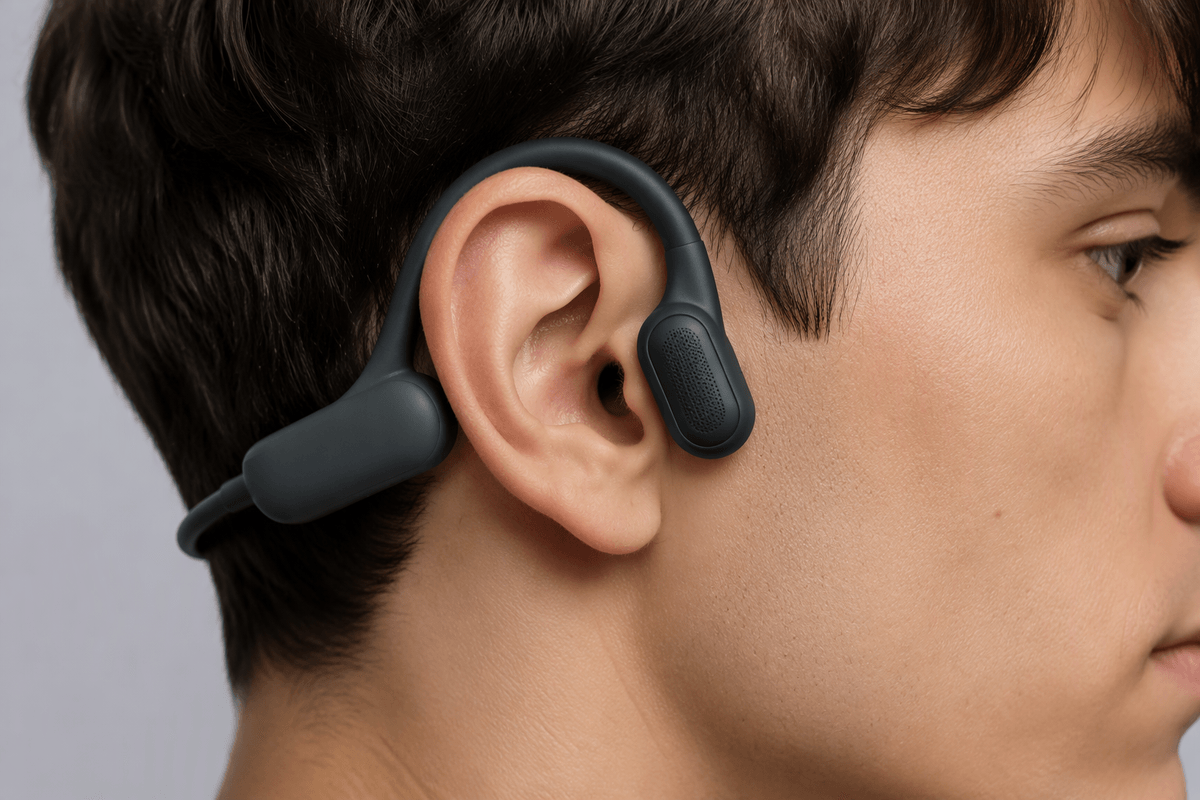
The biggest difference appears after the first hour. Instead of sitting inside the ear canal, the OpenRock S2 rests around the ear and directs sound toward it, leaving the canal open. That can reduce the plugged-up feeling and heat that some people notice with sealed earbuds. You can listen while working at a desk, walking through town, or exercising without feeling as disconnected from your surroundings. Voices, traffic, and public announcements remain easier to notice, so you are less likely to pause playback every time someone speaks to you.
That comfort is not automatic, however. The ear hooks add stability, but their shape and pressure may become noticeable if they do not match your ears well. Because the speakers sit outside the canal, nearby noise competes more directly with your music, and louder playback may be necessary outdoors. The design also provides little privacy in quiet rooms, since people nearby may hear some sound. For listeners who prioritize long wear and awareness, those compromises may be minor; for those seeking an immersive, isolated experience, they remain central limitations.
What Does the S2 Sound Like in Practice?
In practice, the OpenRock S2 delivers a more spacious and relaxed presentation than a sealed earbud, but it does not create the same sense of weight or isolation. Voices, podcasts, and acoustic music generally suit the open design because they remain easy to follow without sounding overly enclosed. Bass is present, yet it feels less concentrated than it would through an in-ear seal. Electronic tracks and bass-heavy recordings may therefore sound lighter, particularly outdoors or near traffic.
Volume becomes part of the trade-off. In a quiet room, the S2 can sound clear and engaging at moderate levels, while busy streets, gyms, and public transport can mask detail. Raising the volume helps, but it reduces the safety margin for comfortable long-term listening and may make sound leakage more noticeable. The fit also affects consistency: small changes in ear position can alter loudness and bass response. Listeners who want background music, spoken audio, and environmental awareness will likely find the sound practical. Those expecting deep immersion or reliable noise isolation will find conventional in-ear earbuds more convincing.
Battery Life Matters More When You Never Recharge
Battery life becomes more valuable when the S2 is used as an all-day companion rather than for short listening sessions. If you wear it through a workday, commute, walk, and workout, fewer charging breaks make the open-ear design easier to live with. You can leave it ready for spoken audio or background music instead of treating battery management as another daily task. That convenience matters most for people who regularly forget to recharge smaller earbuds or dislike carrying a case everywhere.
Long endurance does not remove every limitation. Heavy use at higher volume, especially outdoors where ambient noise competes with playback, can reduce the practical runtime. The S2 also cannot replace the stronger isolation of sealed earbuds, so some listeners may increase volume and drain the battery faster. Charging still has to happen eventually, and a long-lasting pair is only useful if the fit remains comfortable for those extended periods. For listeners who value uninterrupted, low-maintenance listening, that trade-off may be more important than absolute sound quality.
Calls, Controls, and Stability on the Move
On the move, the S2’s controls are useful only if you can operate them without shifting the earbuds. Physical buttons or touch controls can handle basic playback and calls, but they are not a substitute for checking a phone when you need precise volume changes or app functions. The open design helps with awareness, yet it also means wind, traffic, and nearby conversations remain part of the call environment. In quiet offices or during a walk, voice quality may be adequate; on busy streets, the other person may hear more background noise and your voice may sound less consistent.
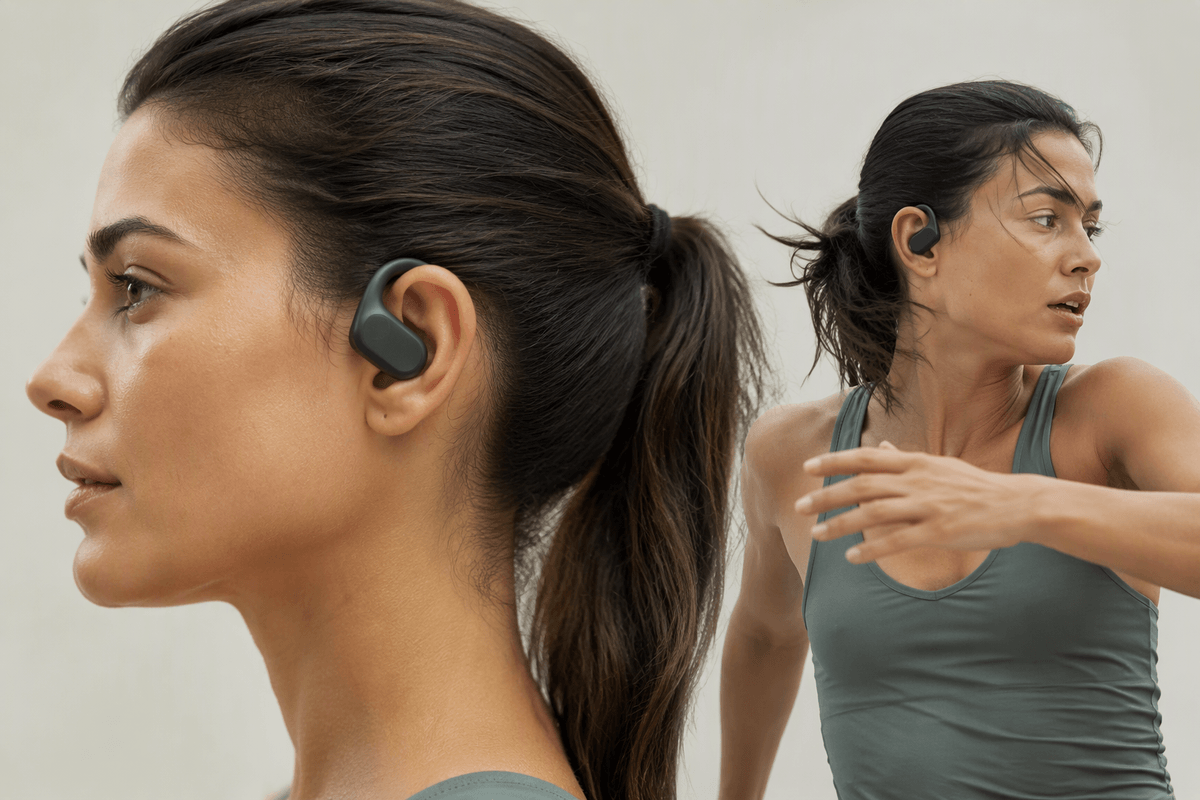
Stability depends heavily on the ear-hook fit. For walking and ordinary commuting, the S2 should stay in place without the pressure of an in-ear seal. Faster running, abrupt head movement, or glasses can expose weak points, especially if the hooks press against the same area for hours. Sweat resistance may support exercise, but it does not guarantee a secure fit for every ear shape. The S2 is therefore strongest for steady daily movement, not demanding workouts where absolute stability and call clarity matter most.
Where the S2 Fits Among the Alternatives
Compared with conventional in-ear earbuds, the OpenRock S2 gives up sealed bass, active noise cancellation, and some call consistency in exchange for comfort and environmental awareness. That makes it a better fit for open offices, neighborhood walks, and commutes where you want audio without feeling cut off. Sealed earbuds remain the stronger choice for airplanes, loud trains, crowded gyms, and focused listening, where isolation improves detail and reduces the need to raise the volume.
Other open-ear models may offer a lighter design, a smaller profile, or a more natural fit, while bone-conduction headphones can leave the ears even more open for conversations and safety. The S2’s advantage is its balance of battery endurance, fuller sound, and a relatively secure ear-hook design. Its cost is that the hooks are more noticeable, sound can leak in quiet spaces, and fit remains highly personal. The right comparison is therefore not simply which model sounds best. It is whether you need the S2’s long-wearing practicality more often than you need isolation, compactness, or maximum stability during intense exercise.
The OpenRock S2 Makes Sense for Specific Listeners
The OpenRock S2 is a strong match for listeners who spend much of the day moving between work, commuting, walking, and light exercise. Its comfort, awareness, and long battery life can matter more in that routine than powerful bass or complete isolation. It is especially practical for people who dislike ear-canal pressure, frequently miss announcements, or want background audio without removing their earbuds whenever someone speaks.
It is a weaker choice for listeners who want immersive music, dependable calls in noisy places, or a secure fit for intense workouts. Conventional in-ear earbuds remain better for travel, loud environments, and focused listening. The S2 earns its place when low-maintenance, long-wearing comfort is the priority. If that benefit matches your daily habits, its sound and isolation compromises become easier to accept.